
Crisp vs Freshdesk 2026: Which Customer Support Tool Is Better
When you’re choosing a customer support tool, the decision often comes down to simplicity vs power. Do you go with a simple shared inbox that’s easy for your whole team to use, or do you invest in an enterprise-grade ticketing system that can scale with your business?
Crisp and Freshdesk are two of the most popular options in 2026, but they target completely different business sizes and needs. In this head-to-head comparison, we’ll break down features, pricing, real-world performance, and which one you should choose for your business.
🧠 Quick Verdict
| Crisp | Freshdesk | |
|---|---|---|
| Best For | Early startups, small teams, multi-channel messaging | Mid-to-large enterprises, large support teams |
| Starting Price | $0/month (free) → $45/month (Mini) | $0/month (free) → $23/agent/month (Growth) |
| Core Strength | Simple multi-channel shared inbox with unlimited seats on higher plans | Advanced ticketing, SLA tracking, enterprise reporting |
| Pricing Model | Seats + features | Per-agent pricing |
| Overall | Best for small startups that need multi-channel messaging | Best for larger teams that need structured ticketing |
👉 Key Takeaways:
⚖️ Overview
What is Crisp?
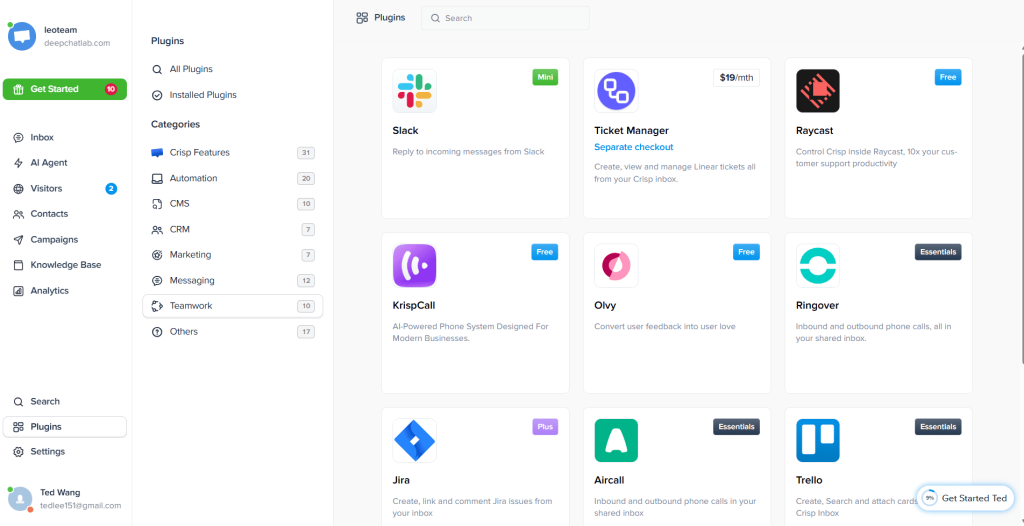
Crisp is a France-based customer messaging platform built around a shared inbox. It pulls all your customer messages from your website, Instagram, Facebook, WhatsApp, and email into one place, so your team doesn’t have to jump between multiple apps.
It’s especially popular with early startups because it offers unlimited seats on its higher plans, which saves a lot of money compared to per-agent pricing.
What is Freshdesk?
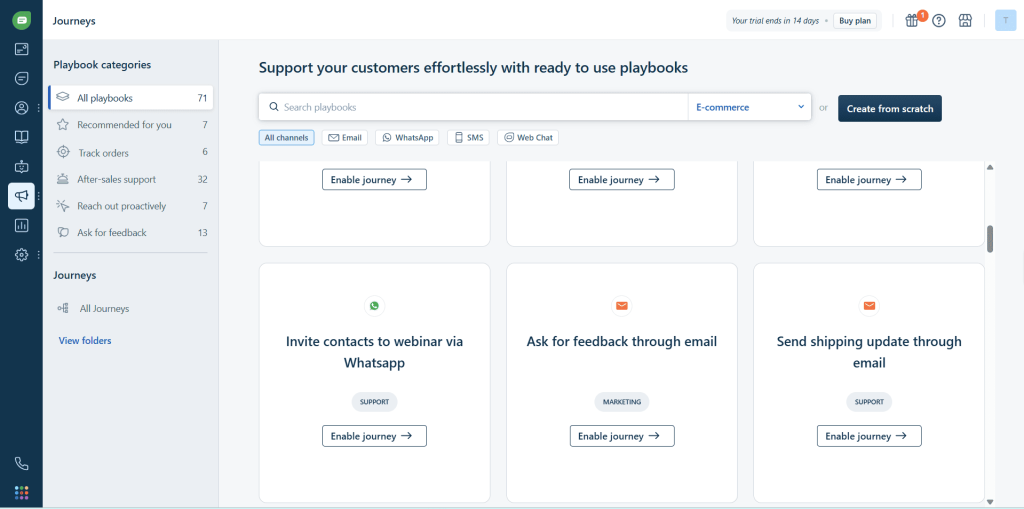
Freshdesk is an enterprise-grade help desk platform from Freshworks. It’s built around advanced ticketing management, SLA tracking, workflow automation, and reporting. It’s the go-to choice for larger companies with dedicated support teams.
🎫 Ticketing System Comparison
Freshdesk
Freshdesk was built for ticketing, and it shows:
- Automatic email-to-ticket conversion
- Intelligent ticket routing based on keywords and agent skills
- Full SLA tracking and escalation rules
- Advanced reporting and analytics
- Custom ticket statuses and workflows
- Team collision detection and internal collaboration
If you run a large support team, Freshdesk’s ticketing system is industry-leading.
Winner: Freshdesk
Crisp
Crisp has basic ticketing and conversation management:
- Unified inbox for all conversations
- Assign conversations to team members
- Add internal notes and tags
- Conversation status tracking
It works fine for small teams that just need to keep track of conversations, but it doesn’t have the advanced SLA tracking, reporting, or workflow automation that Freshdesk offers.
Winner: Freshdesk
💬 Live Chat & Multi-Channel Comparison
This is where Crisp really shines:
Crisp
- Clean, customizable live chat widget for your website
- True multi-channel support — Instagram, Facebook Messenger, WhatsApp, and email all in one inbox
- Unlimited conversation history
- Excellent mobile app for responding on the go
- Visitor tracking to see what page a customer is on
For small businesses that get a lot of customer questions through social media, Crisp’s multi-channel inbox alone is worth the price. No more missing messages because you forgot to check your Facebook page.
Freshdesk
- Live chat available via Freshchat add-on
- Multi-channel support available but it’s not as seamless as Crisp
- Focused more on email and ticketing than social messaging
Winner: Crisp — multi-channel shared inbox is what Crisp does best.
🤖 AI & Automation Features
Freshdesk
- Freddy AI for automated ticket classification and assisted responses
- Advanced workflow automation
- Ticket routing automation based on rules
- AI-powered chatbot available
Freshdesk’s automation is built for large teams with complex needs. It can handle almost any workflow you can imagine.
Crisp
- Basic triggered messages and chatbot flows
- AI chatbot available as an add-on (extra cost)
- Simple automation for common FAQs
Crisp’s automation is fine for small teams, but it’s much more basic than what Freshdesk offers.
Winner: Freshdesk
💰 Pricing Comparison (2026 Latest)
Crisp Pricing
| Plan | Price | What You Get |
|---|---|---|
| Free | $0/month | 2 seats, basic features |
| Mini | $45/month | 5 seats, core features, chatbots |
| Essentials | $95/month | 10 seats, advanced features, priority support |
| Plus | $295/month | Unlimited seats, everything included |
Key point: Crisp includes more seats with each plan and doesn’t charge per-agent on higher plans. For a 5-person team, it’s $45/month total.
Freshdesk Pricing
| Plan | Price | What You Get |
|---|---|---|
| Free | $0/month | 3 agents, basic ticketing |
| Growth | $23/agent/month | Multiple channels, automation, reporting |
| Pro | $66/agent/month | Advanced automation, SLA management |
| Enterprise | $107/agent/month | Advanced reporting, AI, custom roles |
Key point: Freshdesk charges per-agent. For a 5-person team on Growth, that’s $115/month total — more than double Crisp’s $45/month.
🧪 Real World Test Experience
We tested both tools with a 5-person startup team:
- Crisp setup: Done in under 20 minutes. Connected website, Facebook, and Instagram in minutes. The whole team was using it within an hour with no training.
- Freshdesk setup: Took 3+ hours to configure workflows, permissions, and SLA rules. Required some training for the team to understand how everything works.
For early-stage startups, Crisp is incredibly fast and easy. For established enterprises with existing processes, Freshdesk’s complexity is necessary.
🧩 Who Should Choose Crisp?
✅ Choose Crisp if you:
- You’re an early-stage startup or small business
- You get customer messages across multiple social channels
- You have 2-10 team members and want to save money
- You just need a simple shared inbox without all the complexity
- You want unlimited seats on higher plans
- You value speed and simplicity over advanced features
❌ Not ideal if you:
- You have a large support team (10+ agents)
- You need advanced ticketing with SLA tracking
- You require detailed reporting and analytics
- You need enterprise-level workflow automation
🧩 Who Should Choose Freshdesk?
✅ Choose Freshdesk if you:
- You’re a mid-sized to enterprise business
- You have a large dedicated support team
- You need advanced ticketing and SLA management
- You require detailed reporting and analytics
- You need complex workflow automation
❌ Not ideal if you:
- You’re a small startup on a budget (gets expensive fast with multiple agents)
- You need seamless multi-channel social inbox
- You want something simple that your team can start using immediately
📊 Full Comparison Table
| Feature | Crisp | Freshdesk |
|---|---|---|
| Starting Price | Free → $45/month (total for 5 seats) | Free → $23/agent/month |
| Ticketing System | Basic | Advanced, enterprise-grade |
| Multi-Channel Inbox | Excellent (all social + email) | Good, not as seamless |
| Live Chat | Strong, modern | Good via add-on |
| AI Automation | Basic (extra cost for AI) | Strong, built-in |
| Email Marketing | None | None |
| Unlimited Seats | Yes (Plus plan) | No (always per-agent) |
| Ease of Setup | < 30 minutes | 3+ hours |
| Best For | Startups / small teams | Enterprises / large support teams |
❓ Frequently Asked Questions
Is Crisp cheaper than Freshdesk?
For small teams, yes. A 5-person team pays $45/month total with Crisp Mini vs $115/month for 5 agents on Freshdesk Growth. Crisp is much cheaper for small teams.
Does Crisp support WhatsApp and Instagram?
Yes, that’s one of Crisp’s biggest advantages. All your social messages go into the same shared inbox. Freshdesk supports multiple channels but it’s not as seamless.
Which is better for startups?
Crisp is almost always better for early startups. It’s simpler, faster to set up, and much cheaper. Freshdesk is built for larger teams.
Can Freshdesk handle large support teams?
Yes, Freshdesk is built from the ground up for large support teams and enterprise-scale ticketing. It’s one of the most popular choices in that space.
🎯 Final Verdict
Crisp and Freshdesk are both excellent tools — they’re just built for different audiences.
Choose Crisp if you’re:
- A small startup or early-stage business
- You need a simple multi-channel inbox for all your customer messages
- You want to avoid expensive per-agent pricing
It’s hard to beat Crisp for simplicity and value when you’re just getting started. 👉 Check Crisp latest pricing here →
Choose Freshdesk if you’re:
- A mid-sized or enterprise business
- You have a large dedicated support team
- You need advanced ticketing, SLA tracking, and reporting
If you need enterprise-grade help desk functionality, Freshdesk is one of the best options in 2026. 👉 Learn more about Freshdesk plans →
🔗 Related Articles
👉 Crisp Review 2026: Is It the Best Live Chat & Multichannel Customer Support Tool?
👉 Freshdesk Review 2026: Is It the Best Help Desk Software for Customer Support Teams?
👉 Tidio Review 2026: Is It the Best AI Customer Support Tool for Small Businesses?
👉 HelpCrunch Review 2026: Is It the Best All-in-One Customer Communication Platform?
👉 HelpCrunch vs Freshdesk 2026: Which Customer Support Tool Is Better?