Crisp Review 2026: Is It the Best Live Chat & Multichannel Customer Support Tool?
Multichannel customer support is no longer a “nice-to-have” for businesses — it’s a requirement. Customers expect to message you on your website, Instagram, WhatsApp, Facebook Messenger, and email all from one place.
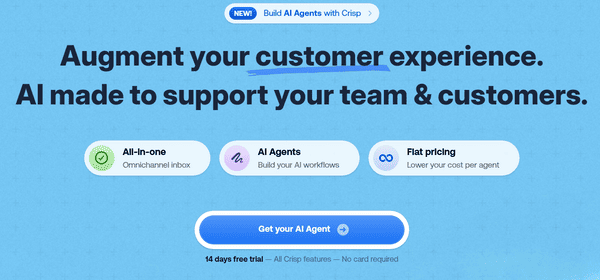
That’s where shared inbox tools like Crisp come in. Crisp markets itself as the all-in-one customer messaging platform for startups and small businesses, combining live chat, shared inbox, and ticketing in one simple dashboard. But does it actually live up to the hype in 2026?
In this hands-on review, we’ll break down Crisp’s features, pricing, pros and cons, and how it stacks up against competitors like Tidio, HelpCrunch, and Freshdesk to help you decide if it’s the right tool for your business.
🧠 Quick Verdict
| What You Need To Know | |
|---|---|
| Best for | Startups, small businesses, teams that need simple shared inbox + multi-channel messaging |
| Core strength | Simple multi-channel inbox with unlimited team members |
| Pricing | Free → $45/month (Mini) → $95/month (Essentials) → $295/month (Plus) (2026 latest) |
| Limitation | No native email marketing, AI features are basic compared to Tidio |
| Overall | Crisp is one of the best simple shared inbox solutions for early-stage startups in 2026. If you just need to bring all your customer messages into one place, it’s a solid choice. Check Crisp latest pricing → |
🔗 Related Guides
- Best AI Customer Support Tools for Small Businesses (2026 Guide)
- HelpCrunch Review 2026: Is It the Best All-in-One Customer Communication Platform?
🏆 What Is Crisp?
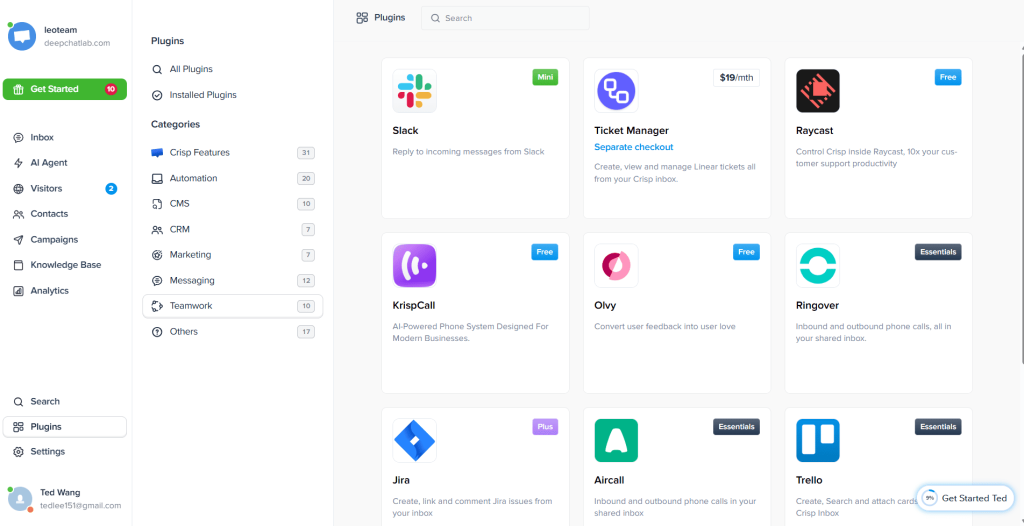
Crisp is a France-based customer messaging platform that started out focused on simple live chat and has grown into a full multi-channel shared inbox solution. It’s particularly popular with startups and SaaS companies because of its free plan and unlimited team members.
Core features you get:
- Live chat for your website
- Shared inbox for all customer messages (website, FB, Instagram, WhatsApp, email)
- Basic ticketing system
- Chatbot and automation tools
- CRM for customer profiles
- Integration with Shopify, WordPress, WooCommerce, and most popular tools
Its main value proposition is simple: stop jumping between 5 different apps to answer customers. Put everything in one shared inbox so your whole team can collaborate faster.
💰 Pricing (2026 Latest Updated)
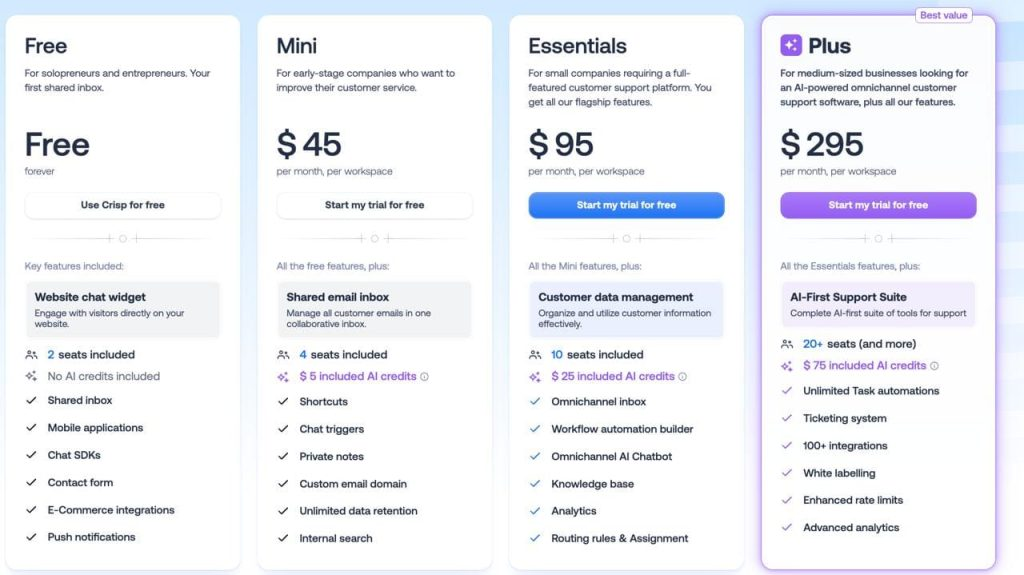
| Plan | Price | What You Get |
|---|---|---|
| Free | $0/month | 2 seats, basic live chat, shared inbox for 1 website |
| Mini | $45/month | 4 seats, all core features, chatbots, 1000 contacts |
| Essentials | $95/month | 10 seats, advanced features, priority support, 5000 contacts |
| Plus | $295/month | Unlimited seats, everything included, custom integrations |
Key pricing insight: Crisp’s pricing is based on seats and features, not per-agent like Freshdesk. The Mini plan at $45/month gives you 4 team members, which is great for small growing teams.
🧪 Real Use Evaluation
We tested Crisp on a small WordPress + WooCommerce store to see how it performs in real use.
Setup Experience
- Step 1: Sign up, add your website → 2 minutes
- Step 2: Copy the code or install the WordPress plugin → 1 minute
- Step 3: Connect your Facebook page and Instagram account → 5 minutes
- Step 4: Configure basic automation → 10 minutes
Total time: Under 20 minutes, even if you’re connecting multiple channels. No coding required, extremely beginner-friendly.
✅ Verdict: Crisp has one of the easiest setup processes we’ve tested. Perfect for non-technical founders.
Multi-Channel Inbox Performance
This is Crisp’s bread and butter:
- All messages from website, Facebook, Instagram, WhatsApp, and email land in the same unified inbox
- You can assign conversations to specific team members, add notes, and tag conversations
- The interface is clean and fast — no lag switching between conversations
- Mobile app works really well for responding on the go
If your customers message you across multiple social platforms, this alone is worth the price. No more missing messages because you forgot to check Facebook.
Chatbot & Automation
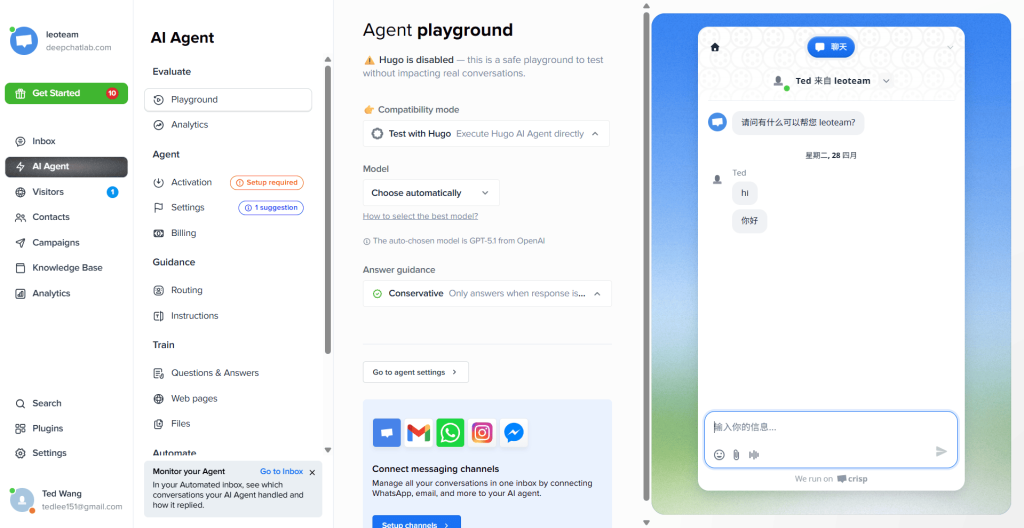
Crisp offers basic chatbot automation:
- Pre-chat forms to collect customer information before they chat
- Triggered messages based on page behavior (e.g. “Need help with checkout?”)
- Basic chatbot flows for FAQs
- AI chatbot is available as an add-on (extra cost, not included in base plans)
The automation is very straightforward — if you just need to answer common questions automatically, it works great. But don’t expect super advanced AI like Tidio’s Lyro, which can handle complex customer inquiries without human input.
Integration with E-commerce
Crisp integrates well with Shopify and WooCommerce:
- You can see customer order details directly in the chat
- One-click order status checks for customers
- Abandoned cart reminders via chat
It’s not as e-commerce focused as Gorgias, but for most small stores it’s more than enough.
⚙️ Key Features Breakdown
💬 Live Chat
- Fully customizable widget (colors, position, branding)
- Mobile-friendly chat window
- Typing indicators and read receipts
- File attachments and emoji support
📥 Shared Inbox
- Unlimited conversation history
- Collision detection (see when a teammate is typing a reply)
- Notes and internal comments for your team
- Saved replies for common questions
🤖 Automation
- Triggered messages based on visitor behavior
- Chatbot flow builder
- Chat routing to specific departments
- Away messages when your team is offline
🧑💼 CRM & Customer Profiles
- Automatically tracks all past conversations with each customer
- Add custom tags and notes to customer profiles
- See contact information and browsing history
🔗 Integrations
- Native integrations with Shopify, WooCommerce, WordPress, Slack, Stripe, and more
- 1000+ integrations via Zapier
- API available for custom connections
⚖️ Pros and Cons
👍 Pros
- Unlimited team members on higher plans → Scales well with growing teams
- Extremely simple interface → Fast to learn, minimal training needed
- Excellent free plan → Great for testing or very small businesses starting out
- True multi-channel inbox → All your messages from social, email, and website in one place
- Good mobile apps → Answer customers from anywhere
- Clean, fast performance → No lag or slowdowns
👎 Cons
- No native email marketing → Unlike HelpCrunch, you can’t send bulk email campaigns
- AI features cost extra → The AI chatbot isn’t included in base plans, adds extra cost
- Advanced reporting is limited → Not as many analytics options as Freshdesk
- Pricing jumps significantly → From $45 to $95 to $295 is a big leap for small businesses
- Automation builder is basic → Not as powerful as tools like Intercom for complex workflows
🧩 Who Should Use Crisp?
✅ Best for:
- Early-stage startups that need a simple multi-channel inbox
- Small businesses that get customer messages across multiple social platforms
- Teams that just need a simple shared inbox without all the extra complexity
- SaaS companies that want a clean, fast interface for customer support
- Businesses on a moderate budget ($45-95/month range)
❌ Not ideal for:
- Businesses that need email marketing built-in → Go with HelpCrunch instead
- Teams that want advanced AI automation included → Tidio includes AI in lower price points
- Large enterprises needing advanced ticketing → Freshdesk is built for that
- Very small budgets → The $45/month Mini plan may be steep for solopreneurs
⚖️ Crisp vs Competitors
| Tool | Best For | Strength | Weakness | Starting Price |
|---|---|---|---|---|
| Crisp | Startups / small teams | Multi-channel inbox + simple interface | No email marketing, AI costs extra | Free → $45/month |
| Tidio | Small businesses focused on AI | AI chatbot included in base pricing | No full multi-channel social inbox | Free → $29/month |
| HelpCrunch | SaaS / startups wanting all-in-one | Includes email marketing + live chat | AI features are basic | $15/month |
| Freshdesk | Enterprise / larger teams | Advanced ticketing and reporting | Per-agent pricing gets expensive | Free → $23/agent/month |
Quick comparison breakdown:
- Choose Crisp if you want a simple multi-channel inbox and can afford $45+/month
- Choose Tidio if advanced AI chatbot is your top priority
- Choose HelpCrunch if you need email marketing + live chat in one tool
- Choose Freshdesk if you’re a larger team that needs enterprise-grade ticketing
If you’re ready to try Crisp for your business:
👉 Check Crisp latest pricing →
❓ Frequently Asked Questions
Is Crisp really free?
Yes, Crisp has a permanent free plan that includes 2 team members and basic features. It’s great for testing or very small businesses. Paid plans start at $45/month.
Does Crisp work with Shopify?
Yes, Crisp has a native Shopify integration that lets you see customer order details directly in your inbox and support customers faster.
Can I use Crisp for WhatsApp and Instagram?
Yes, Crisp supports WhatsApp, Instagram, Facebook Messenger, and email all in the same shared inbox. That’s one of its biggest selling points.
Does Crisp have an AI chatbot?
Yes, Crisp has an AI chatbot called Crisp AI, but it’s an add-on that costs extra on top of your regular plan.
How many team members can I add to Crisp?
The Mini plan includes 5 seats, Essentials includes 10 seats, and Plus includes unlimited seats.
🎯 Final Verdict
After testing Crisp extensively in 2026, we think it’s one of the best shared inbox solutions for startups and small businesses.
Crisp excels when you:
- Need to bring all your customer messages from multiple channels into one place
- Want something simple that your whole team can learn in 10 minutes
- Have a moderate budget ($45-95/month range)
- Value a clean, fast interface over advanced features
It’s not perfect — you’ll need a separate tool for email marketing, and AI automation costs extra. The pricing jumps from $45 to $295 can also be steep for growing businesses. But for what it does, it does it well.
If you’re tired of jumping between 5 different apps to answer customer questions, give Crisp a try.
👉 Check Crisp latest pricing and start your free trial →